Chart of Accounts
The chart of accounts is the backbone of double-entry bookkeeping. It organizes all business transactions into numbered accounts that feed into the balance sheet and profit & loss statement. Lumabill provides the Swiss SME chart of accounts (Kontenrahmen KMU) as a template and lets you customize it for your business.
The Swiss SME Chart of Accounts
The Kontenrahmen KMU is the most widely used accounting standard for small and medium enterprises in Switzerland. It divides accounts into classes 1 through 9:
| Class | Area | Examples |
|---|---|---|
| 1 | Assets | 1000 Cash, 1020 Bank, 1100 Accounts receivable |
| 2 | Liabilities & Equity | 2000 Accounts payable, 2100 Bank liabilities, 2800 Equity |
| 3 | Operating revenue | 3000 Product revenue, 3400 Service revenue |
| 4 | Cost of goods/materials | 4000 Material costs, 4400 Third-party services |
| 5 | Personnel expenses | 5000 Wages, 5700 Social insurance |
| 6 | Other operating expenses | 6000 Premises, 6500 Administrative expenses |
| 7 | Non-operating income | 7000 Ancillary income |
| 8 | Extraordinary items | 8000 Extraordinary income |
| 9 | Closing entries | 9000 Opening balance, 9200 Annual profit |
Tip: You do not need to use every account. Lumabill only shows accounts that are relevant for your industry and company size.
Viewing Your Chart of Accounts
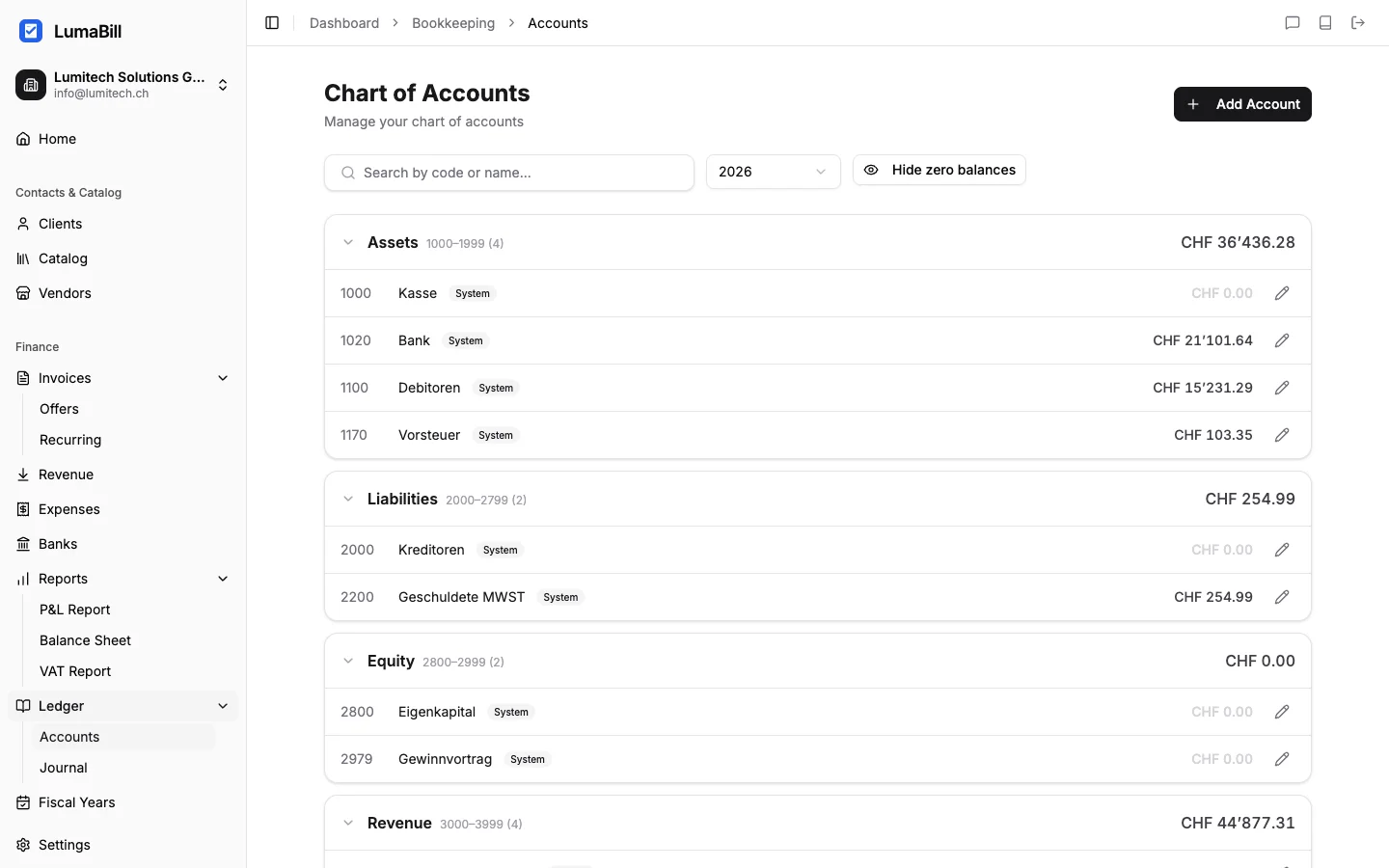
Navigate to Bookkeeping > Chart of Accounts in the dashboard. You will see all available accounts grouped by class. Each account shows:
- Account number -- The four-digit number (e.g. 1020)
- Name -- The account label (e.g. "Bank")
- Type -- Asset, Liability, Expense, or Revenue
- Balance -- The current balance for the selected fiscal year
Customizing Accounts
Lumabill lets you adapt the default chart of accounts to your business:
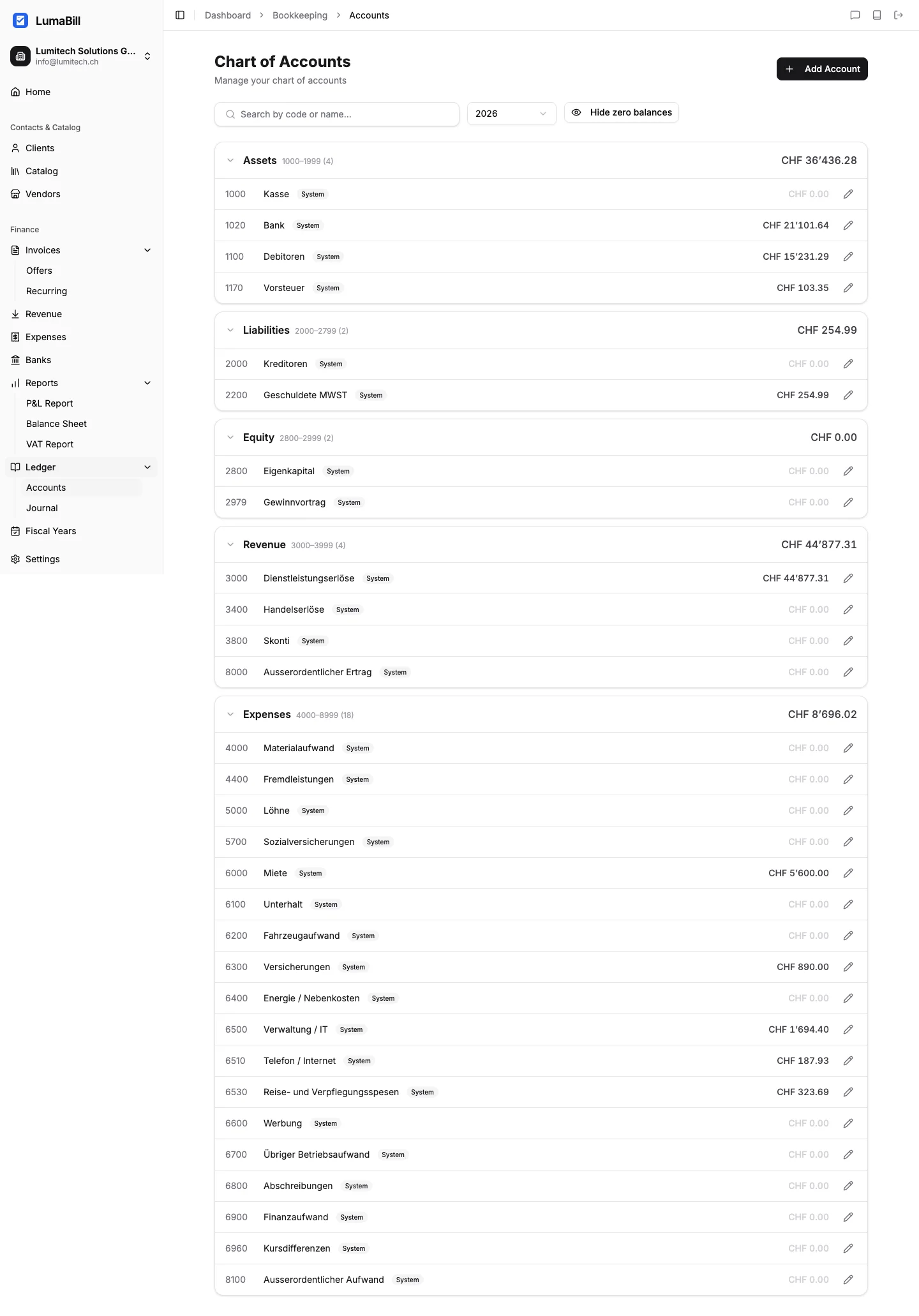
- Rename an account -- Adjust the label to match your terminology (e.g. "PostFinance" instead of "Bank")
- Create a new account -- Add custom accounts for specific expense or revenue categories
- Deactivate an account -- Hide accounts you do not use
When creating a new account, choose the account number, name, and account type. Make sure the number falls within the correct class range.
Tip: Use sub-numbers for more detail. For example, if you have multiple bank accounts, use 1020 for your main account, 1021 for a savings account, and 1022 for a foreign currency account.
Accounts and Postings
Every journal entry in Lumabill references at least two accounts from your chart of accounts. For example, when you mark an invoice as paid, Lumabill automatically posts:
- Debit 1020 Bank (money comes in)
- Credit 1100 Accounts receivable (receivable decreases)
When you record an expense:
- Debit 6500 Administrative expenses (expense increases)
- Credit 1020 Bank (money goes out)
Assets vs. Liabilities vs. Expenses vs. Revenue
- Assets (Class 1): What your company owns -- cash, bank balances, receivables, inventory
- Liabilities (Class 2): What your company owes -- payables, loans, equity
- Expenses (Classes 4--6): Costs of doing business -- materials, personnel, rent
- Revenue (Class 3): Income from business activities -- product sales, services
Tip: The difference between revenue and expenses gives you your profit or loss. The difference between assets and liabilities gives you your equity. Both sides must always balance -- that is the fundamental principle of double-entry bookkeeping.
GeBuV Compliance
The Swiss Ordinance on Commercial Bookkeeping (GeBuV -- Geschaeftsbuecherverordnung) requires that accounting records are properly maintained and retained. Lumabill supports GeBuV compliance by storing all journal entries immutably and documenting changes with a full audit trail.
What's Next?
- Journal Entries -- Create your first journal entries
- Fiscal Years -- Manage periods and year-end closings
- Balance Sheet -- Read and understand your balance sheet