Fiscal Years
Fiscal years (also called accounting periods or financial years) provide the time frame for your bookkeeping. In Lumabill, you manage fiscal years centrally -- you create new periods, post entries within the active period, and close completed years to protect data integrity.
What Is a Fiscal Year?
A fiscal year is the period for which you maintain your books and produce year-end financial statements. In Switzerland, the fiscal year typically matches the calendar year (January 1 to December 31). However, Swiss law also allows non-calendar fiscal years -- for example, April 1 to March 31 or July 1 to June 30.
Tip: Most Swiss SMEs use the calendar year as their fiscal year. A non-calendar fiscal year can make sense if your industry has seasonal fluctuations.
Creating a Fiscal Year
Navigate to Bookkeeping > Fiscal Years and click New Fiscal Year. Enter the following:
- Start date -- The first day of the period (e.g. 01.01.2026)
- End date -- The last day of the period (e.g. 31.12.2026)
- Label -- An optional name (e.g. "Fiscal Year 2026")
Lumabill verifies that fiscal years do not overlap and that there are no gaps between consecutive periods.
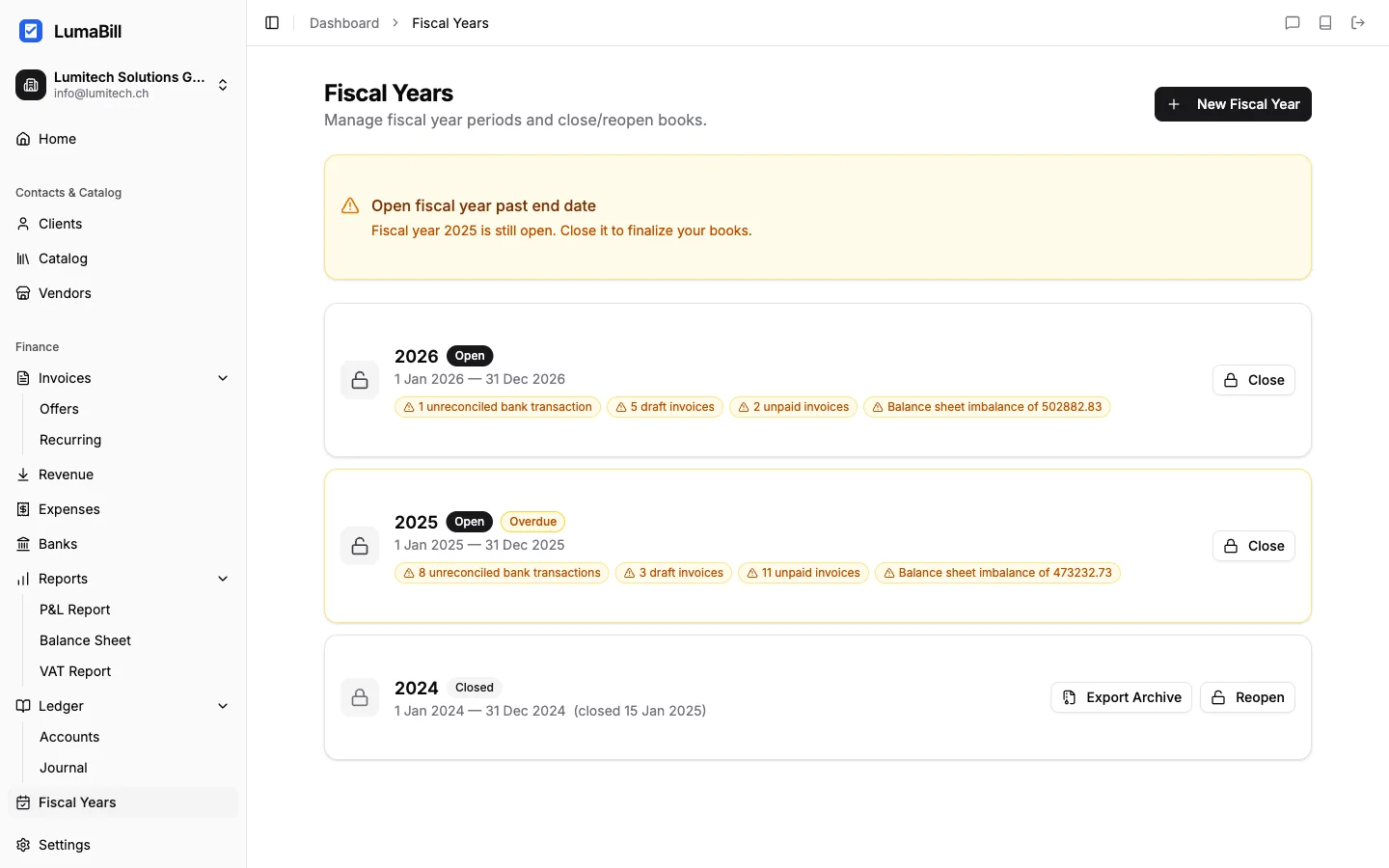
Fiscal Year Status
Each fiscal year has one of three statuses:
- Open -- Entries can be created, edited, and deleted. This is the normal working mode during the current period.
- Provisionally closed -- Entries are locked, but the closing can still be reversed. Useful for the review phase.
- Definitively closed -- All entries are permanently locked. No changes are possible. Opening balances are carried forward to the next year.
Closing a Fiscal Year
When all entries for a period have been recorded and reviewed, close the fiscal year. Go to Bookkeeping > Fiscal Years, select the relevant year, and click Close.
Lumabill automatically performs the following steps:
- Validation -- All entries are checked for completeness (debit = credit)
- Closing entries -- Expense and revenue accounts are closed via account 9200 (annual profit/loss)
- Opening balance -- The closing balances of balance sheet accounts (classes 1 and 2) are carried forward as opening entries into the new fiscal year
- Locking -- All entries in the closed year are irrevocably locked
Tip: Before closing, generate a balance sheet and profit & loss statement and review the figures carefully. After definitive closing, no corrections are possible.
Opening Balances
When you close a fiscal year, Lumabill automatically carries forward the closing balances of balance sheet accounts as the opening balance for the next fiscal year. This lets you start the new period seamlessly:
- Asset accounts (Class 1) carry forward their balances
- Liability accounts (Class 2) carry forward their balances
- Expense and revenue accounts (Classes 3--8) start at zero
If you are using Lumabill for the first time and already have existing books, you can also enter opening balances manually under Bookkeeping > Fiscal Years > Edit Opening Balance.
Legal Requirements
The Swiss Code of Obligations (Art. 958) and the Ordinance on Commercial Bookkeeping (GeBuV) require:
- Financial statements must be prepared within 6 months of the end of the fiscal year
- Accounting records must be retained for 10 years
- Year-end statements must include a balance sheet, profit & loss statement, and notes
Lumabill stores all data securely and helps you meet these deadlines.
Tip: Start preparing for year-end closing early. Use the months after year-end to resolve open items, perform reconciliations, and review all receipts.
What's Next?
- Journal Entries -- Create and manage journal entries
- Balance Sheet -- Generate your balance sheet for year-end
- Profit & Loss -- Generate your income statement
- Year-End Closing -- Step-by-step guide to year-end closing