Journal Entries
Journal entries are the foundation of double-entry bookkeeping. Every transaction is recorded in at least two accounts -- as a debit and a credit. Lumabill generates many journal entries automatically, but you can also create manual entries at any time.
Automatic Journal Entries
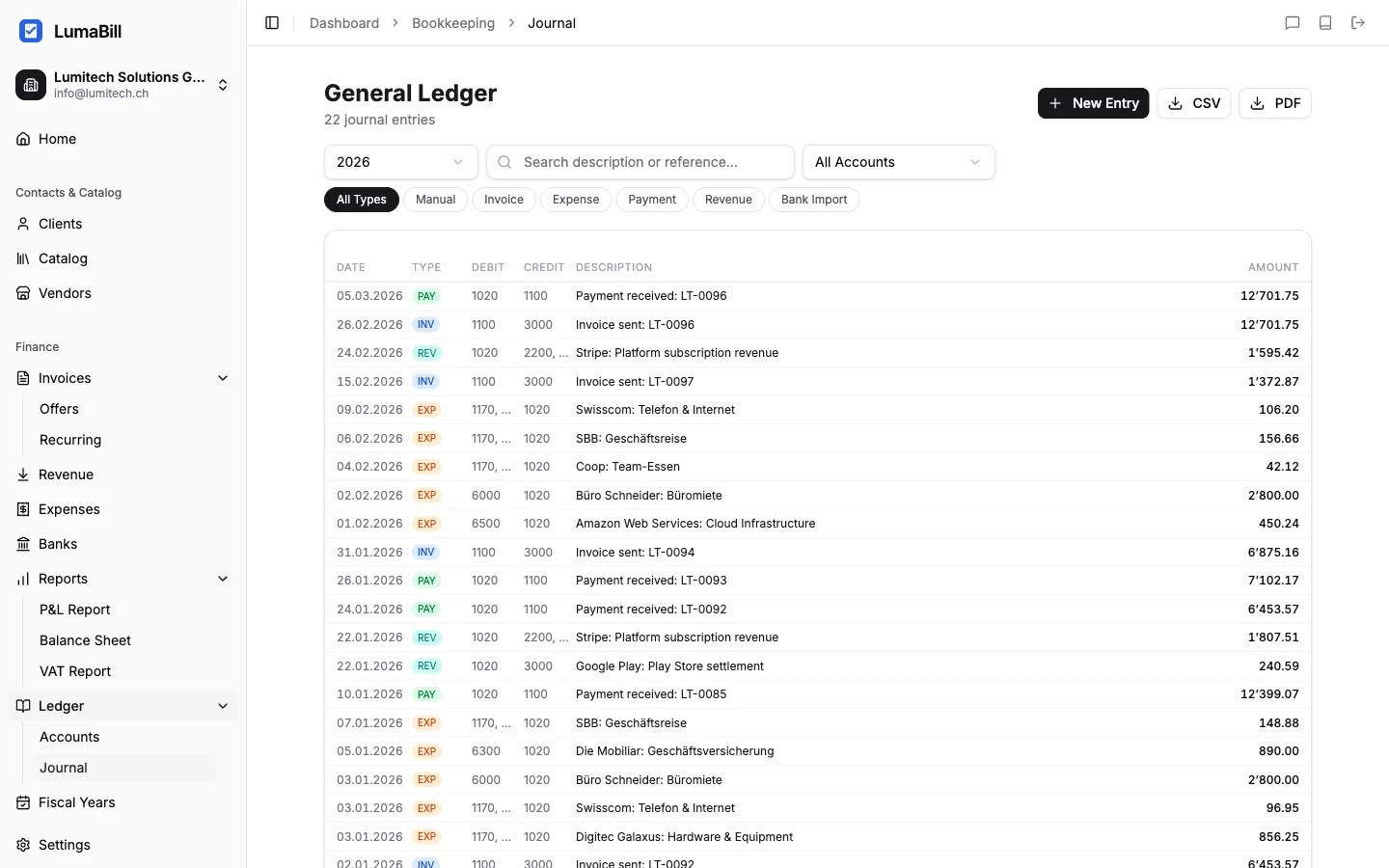
Lumabill automatically creates journal entries when you:
- Create an invoice -- Debit: 1100 Accounts receivable / Credit: 3400 Service revenue
- Record a payment -- Debit: 1020 Bank / Credit: 1100 Accounts receivable
- Record an expense -- Debit: 6xxx Expense account / Credit: 1020 Bank or 2000 Accounts payable
- Reconcile a bank import -- Matching entries are suggested during reconciliation
These automatic entries save time and reduce errors. You can find them in the journal marked as "auto-generated".
Tip: Review automatic entries occasionally to ensure the account assignment is correct. For expenses in particular, make sure the right expense account is selected.
Creating Manual Entries
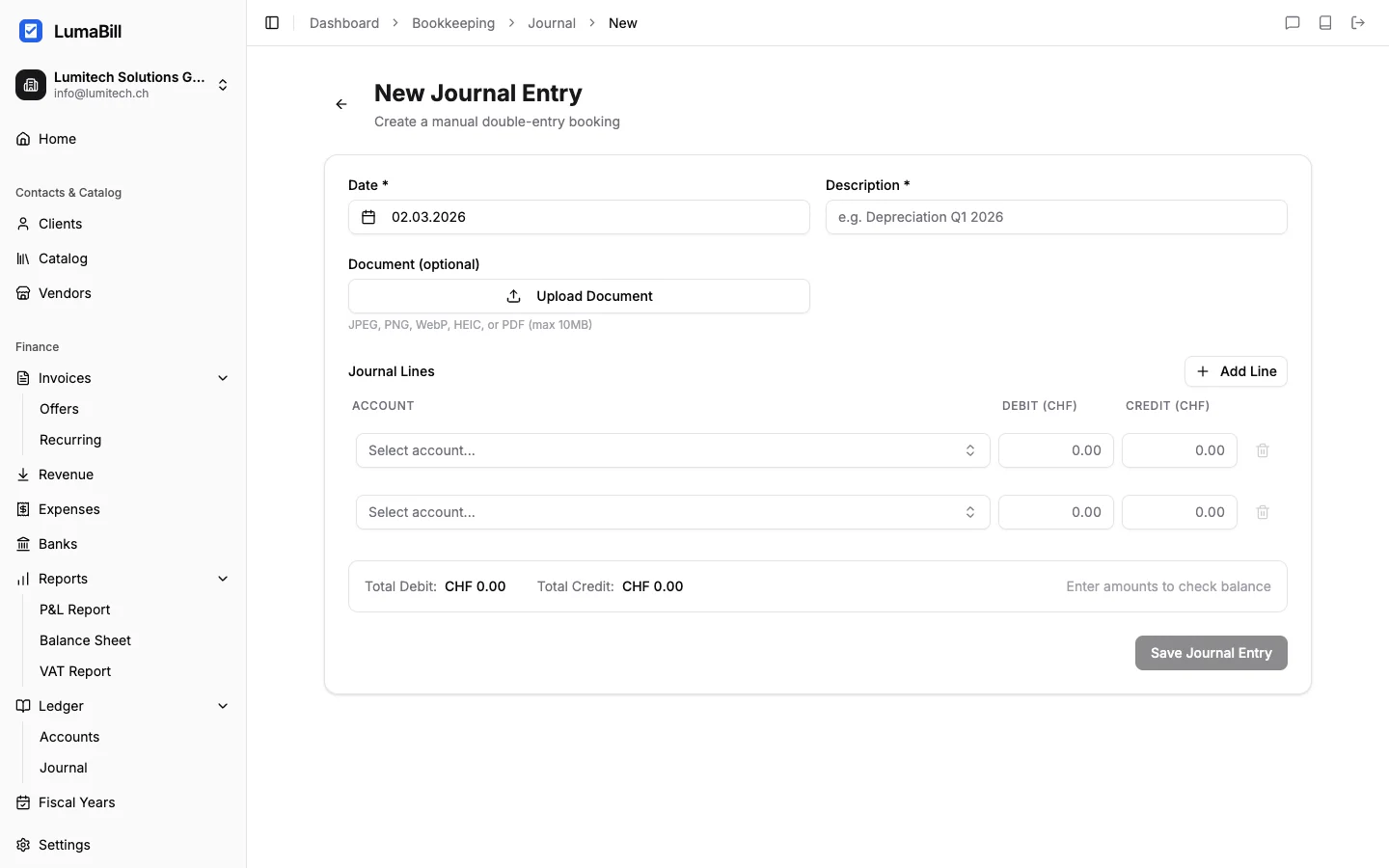
For transactions not covered by invoices or expenses, create manual journal entries. Navigate to Bookkeeping > Journal and click New Entry.
Each journal entry contains:
- Date -- When did the transaction occur?
- Description -- A short description (e.g. "Office rent January")
- Debit account -- The account being charged
- Credit account -- The account being credited
- Amount -- The entry amount in CHF (or your default currency)
- Reference no. -- Optional, to link to a physical receipt
The Principle: Debit and Credit
The golden rule of double-entry bookkeeping: Every entry has a debit amount and a credit amount, and both must be equal. This keeps the balance sheet always balanced.
A simple way to remember:
- Debit (left side): Where the money goes or where an expense arises
- Credit (right side): Where the money comes from or where revenue arises
Examples of common journal entries:
| Transaction | Debit | Credit | Amount |
|---|---|---|---|
| Customer pays invoice | 1020 Bank | 1100 Accounts receivable | CHF 1,500 |
| Rent paid | 6000 Premises | 1020 Bank | CHF 2,000 |
| Sale on account | 1100 Accounts receivable | 3000 Product revenue | CHF 800 |
| Office supplies paid cash | 6500 Admin expenses | 1000 Cash | CHF 45 |
| Loan repayment | 2100 Bank loan | 1020 Bank | CHF 5,000 |
Compound Entries
Sometimes a transaction involves more than two accounts -- for example, when posting an invoice with VAT. Lumabill supports compound entries (split entries) where you can add multiple debit and credit lines in a single journal entry. The total of all debit amounts must equal the total of all credit amounts.
Searching and Filtering the Journal
The journal displays all entries in chronological order. You can filter by:
- Period -- Specific month, quarter, or custom date range
- Account -- Show only entries for a specific account
- Type -- Automatic or manual
- Search term -- Search through entry descriptions
Tip: Use descriptive entry texts. "Office rent Bahnhofstrasse Jan 2026" is more helpful than just "Rent". Good descriptions make later searches and year-end closing much easier.
Editing and Reversing Entries
Entries in an open fiscal year can be edited. In a closed fiscal year, all entries are locked -- this ensures the integrity of your bookkeeping. If you need to correct an erroneous entry, create a reversal entry that cancels the original amount, then post the correct entry.
Tip: Only close a fiscal year after you have reviewed all entries. Once closed, no changes can be made.
What's Next?
- Chart of Accounts -- Customize your accounts
- Fiscal Years -- Manage and close your periods
- Profit & Loss -- See how your entries contribute to the income statement