Balance Sheet
The Balance Sheet shows the financial position of your business as of a specific date. It presents your assets against your liabilities and equity. Unlike the Profit & Loss report, which covers a time period, the Balance Sheet is a snapshot at a point in time.
Requirements: This feature requires the Bookkeeping module (PRO plan) and double-entry bookkeeping mode. The Balance Sheet is not available in simple bookkeeping mode.
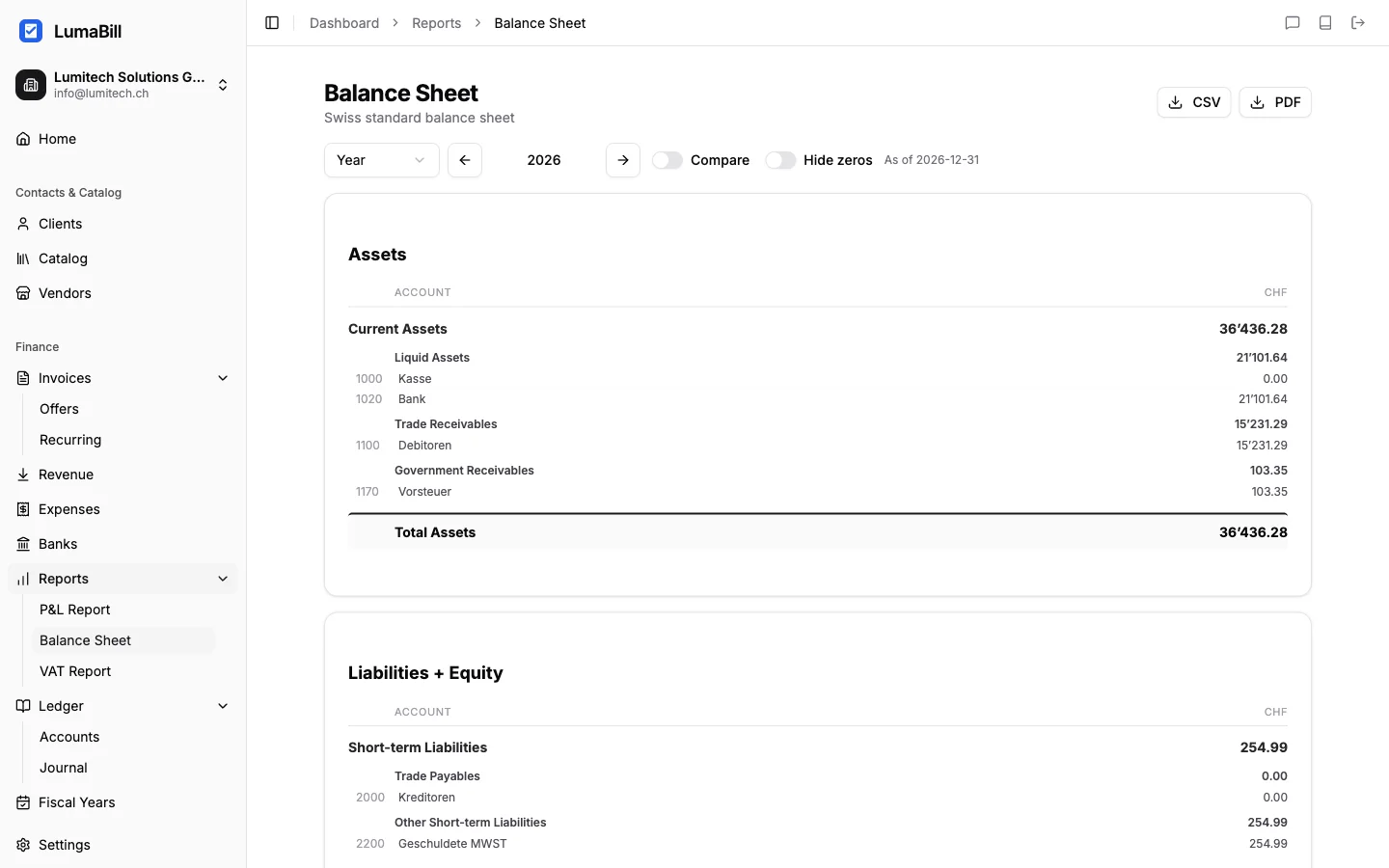
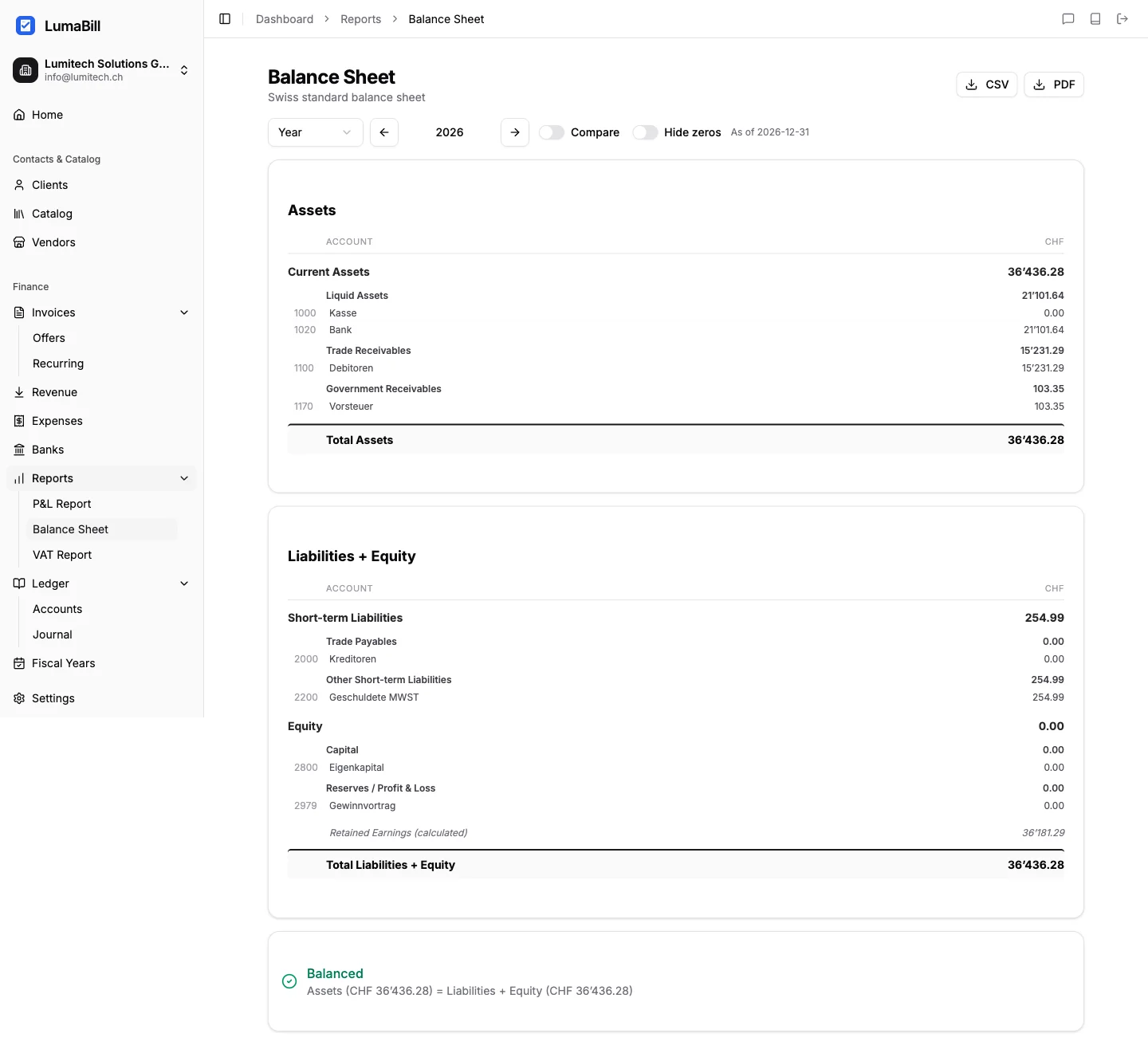
Structure of the Balance Sheet
The Balance Sheet follows the Swiss SME chart of accounts (Kontenrahmen KMU) and is divided into three sections:
Assets
The left side of the Balance Sheet shows what your business owns:
Current assets:
- Cash and bank balances (1000-1020)
- Accounts receivable / debtors (1100)
- Inventory and work in progress (1200-1210)
- Prepaid expenses and accrued income (1300)
Fixed assets:
- Machinery and equipment (1500)
- Vehicles (1510)
- Real estate (1600)
- Intangible assets (1700)
Liabilities and Equity
The right side shows where the money comes from:
Current liabilities:
- Accounts payable / creditors (2000)
- Short-term bank debt (2100)
- Accrued expenses and deferred income (2300)
Long-term liabilities:
- Loans and mortgages (2400-2450)
Equity:
- Share capital (2800)
- Reserves (2900)
- Retained earnings (2970)
- Current year profit or loss (2979)
The Balance Sheet Equation
The Balance Sheet must always balance:
Assets = Liabilities + Equity
If the two sides do not match, this indicates posting errors.
Generating the Report
- Navigate to Bookkeeping > Reports > Balance Sheet
- Select the reporting date (e.g., December 31 of the current year, end of month, custom)
- Click Generate report
Reporting Date
The reporting date determines which postings are included. Only transactions up to and including this date are reflected in the Balance Sheet. Common reporting dates include:
- December 31 -- For the annual closing balance sheet
- End of month -- For monthly overviews
- Today -- For the current state
Detail View
Click on an account to see the individual postings that contribute to its current balance. This lets you quickly track down discrepancies and understand which transactions affected the balance.
Export
Export the Balance Sheet as:
- PDF -- For your accountant, tax return, or internal filing
- CSV -- For further processing in spreadsheets
Tips for Interpretation
- Liquidity -- Compare current assets (bank, receivables) with current liabilities (payables). A ratio above 1 indicates sufficient liquidity.
- Equity ratio -- Equity divided by total assets. The higher the ratio, the more stable the financial foundation.
- Check receivables -- High receivables may indicate outstanding invoices that need follow-up.
- Balance Sheet not balanced? -- Check the opening balance and look for one-sided postings.
What's Next?
The Balance Sheet together with the Profit & Loss report forms the annual financial statements. For businesses registered for VAT, complement these reports with the VAT Report.