VAT Report
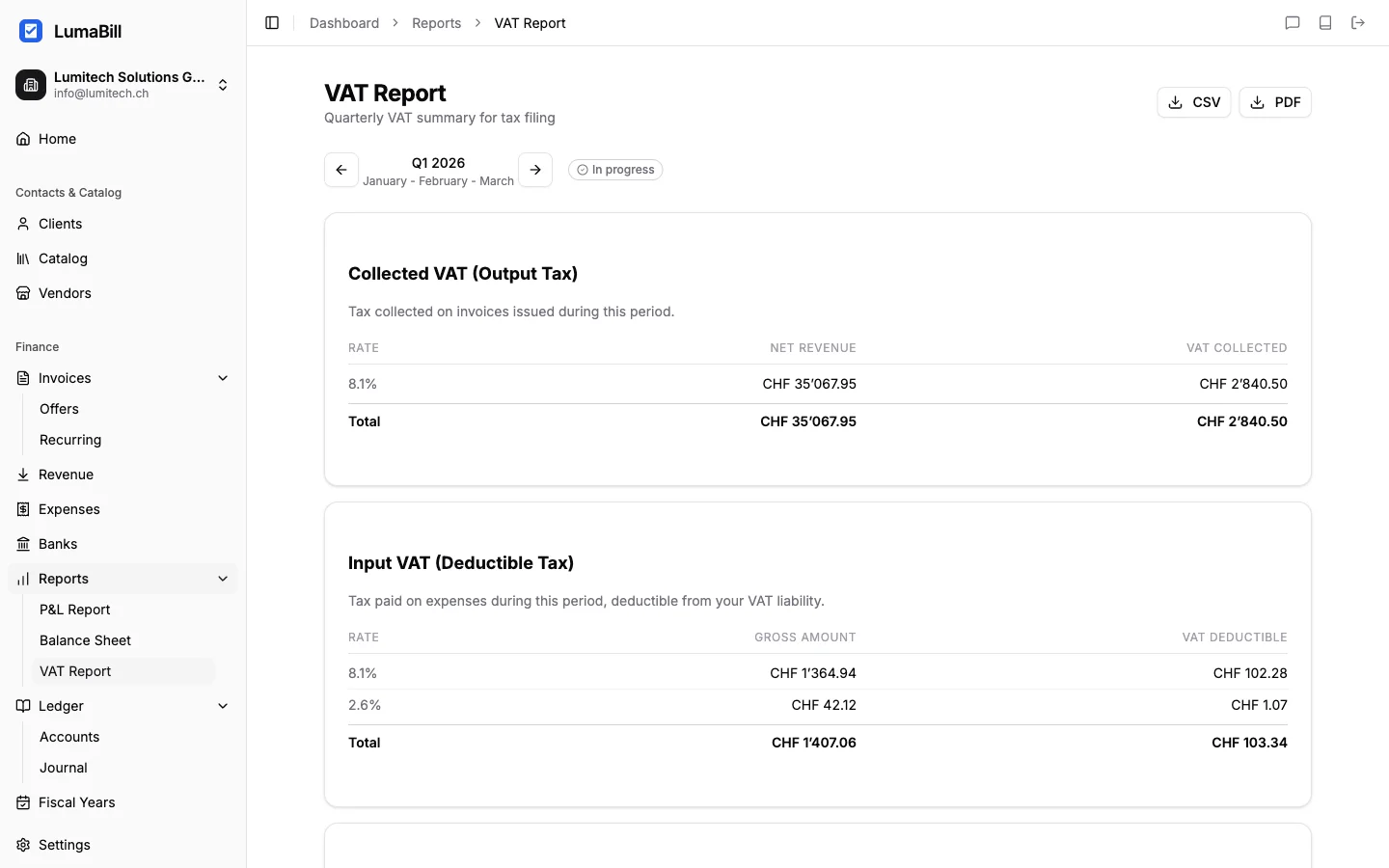
The VAT Report (Mehrwertsteuer-Abrechnung) is a mandatory report for all businesses registered for VAT in Switzerland. Lumabill generates this report automatically based on your bookkeeping entries and helps you declare the correct amount to the Swiss Federal Tax Administration (FTA/ESTV).
Requirements: This feature requires the Bookkeeping module (PRO plan). Additionally, VAT must be enabled in your company settings.
Swiss VAT Rates
Switzerland applies the following VAT rates:
| Rate | Name | Application |
|---|---|---|
| 8.1% | Standard rate | Most goods and services |
| 2.6% | Reduced rate | Food, books, newspapers, medication |
| 3.8% | Special rate | Accommodation services (hotels) |
Note: Certain services are exempt from VAT (e.g., healthcare, education, insurance). These appear separately in the report.
Choosing your method: Effective vs. Saldosteuersatz
Lumabill supports both VAT methods recognized by the FTA. You set the method per profile under Profile > Accounting > VAT calculation method.
| Aspect | Effective method (default) | Saldosteuersatz (flat-rate) |
|---|---|---|
| Filing | Quarterly (Q1-Q4) | Semi-annual (S1, S2) |
| Form | 0550 | 0552 |
| Customer-facing rate | Real (8.1 / 2.6 / 3.8 %) | Same - no change for customers |
| Owed to FTA | Output VAT − input tax (Vorsteuer) | Gross turnover × FTA-assigned flat rate |
| Input tax deduction | Yes, per receipt | No - implicitly priced into the lower flat rate |
| Eligibility | None | Annual turnover ≤ CHF 5'024'000 and annual VAT due ≤ CHF 108'000 |
Enable Saldosteuersatz: Profile settings → enable VAT registration → pick "Saldosteuersatz" as the method → select your industry from the catalogue (e.g. Trustee 6.2 %, Hairdresser 5.3 %). Up to two flat rates can be set if your activities span multiple industries. If your industry isn't listed, pick "Other / custom rate" and enter the rate the FTA assigned you in its decision letter.
Tip: On the VAT report, Lumabill shows a "Check saldo method" panel with the concrete savings for the period. The comparison page recomputes both methods using your actual quarter data and shows which one is cheaper.
Important: Switching methods requires applying at the FTA. Minimum commitment: 1 year (since 2025; previously 5 years).
Structure of the Report
The VAT report follows the official FTA form and is organized into:
Revenue and Tax Due
- Total revenue -- All invoiced services in the period
- Non-taxable revenue -- Exempt services and exports
- Taxable revenue -- Broken down by VAT rate (8.1%, 2.6%, 3.8%)
- VAT due -- The calculated tax on taxable revenue
Input Tax (Deductible)
- Input tax on materials -- VAT on purchased goods and services
- Input tax on investments -- VAT on capital assets
- Input tax on other items -- Other deductible input tax
Net Tax Liability
VAT due - Input tax = Net tax liability (or credit)
A positive amount must be paid to the FTA. A negative amount means you have a credit.
Generating the Report
- Navigate to Bookkeeping > Reports > VAT Report
- Select the reporting period (quarter or half-year, depending on your VAT method)
- Click Generate report
Reporting Periods
The FTA typically requires VAT reporting on a quarterly basis:
- Q1: January -- March
- Q2: April -- June
- Q3: July -- September
- Q4: October -- December
Smaller businesses can apply for semi-annual reporting.
Reviewing the Report
Before submitting, check the following:
- All invoices posted? -- Missing outgoing invoices result in understated revenue.
- All expenses with the correct VAT rate? -- Verify the right rate was assigned (8.1%, 2.6%, or 3.8%).
- Exempt revenue correctly flagged? -- Exports and exempt services must not appear in the taxable base.
- Input tax deduction justified? -- Only business-related expenses with a valid VAT number qualify for input tax deduction.
Tip: Click on individual amounts to view the underlying postings and identify discrepancies.
Export and Submission
Export the report as:
- PDF -- Formatted like the official FTA form, ready for submission
- CSV -- For further review or processing by your accountant
The report is submitted via the FTA portal (ePortal) or by post. Lumabill prepares the figures -- the actual submission is done directly with the FTA.
What's Next?
Use the Profit & Loss report and the Balance Sheet for a complete picture of your fiscal year. For background on Swiss VAT fundamentals, see the guide Understanding VAT.